Overview
What is Pass2Go?
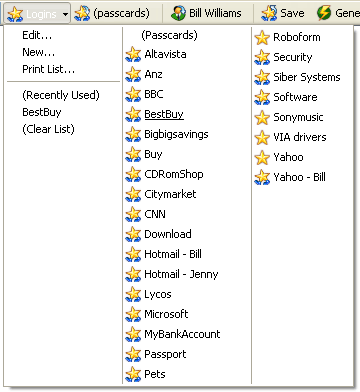
USB-key based Password Manager and Form Filler that does it all: automatically logs you in, securely stores internet and offline passwords, prints and backs up passwords, fills long forms from personal profiles.
In depth
A closer look at Pass2Go
Every website now requires a password, and it's becoming difficult to remember and manage them all. With Pass2Go, you remember one password, Pass2Go remembers the rest. Pass2Go memorizes and securely stores your online and offline passwords on USB key, so you will never forget them again. Enjoy easy, one-click logins to your online accounts. Save time by completing online registration and checkout forms with one click. Pass2Go gives your passwords and other personal data extra security (strong encryption provided), portability, and complete manageability. Passwords can be printed, copied to another computer, backed up, and restored. PC Magazine Editor's Choice Winner in 2005 and 5 Star Rated.
Requirements
System requirements
5 mb disk, 64mb memory
Verdict
Should you download Pass2Go?
Pass2Go runs on
Windows 10/11
and is available under the
Shareware
license
— the installer is 2444 KB.
We’ve catalogued it under
Privacy and Access Control.
✓
Verified clean. Every Pass2Go build on SoftLookup is scanned for viruses, spyware, adware, trojans and backdoors. We re-test on every update.
Sponsored
At a glance
Pass2Go specifications
- Last updated
- Jan 9, 2025
- Requirements
- 5 mb disk, 64mb memory
- License
- Shareware
- Operating system
- Windows 10/11
- File size
- 2444 KB
- Price
- $29.95
- Page views
- 408
Help fellow users decide. Share your experience with Pass2Go.