Overview
What is Easyscreen Screen Capture?
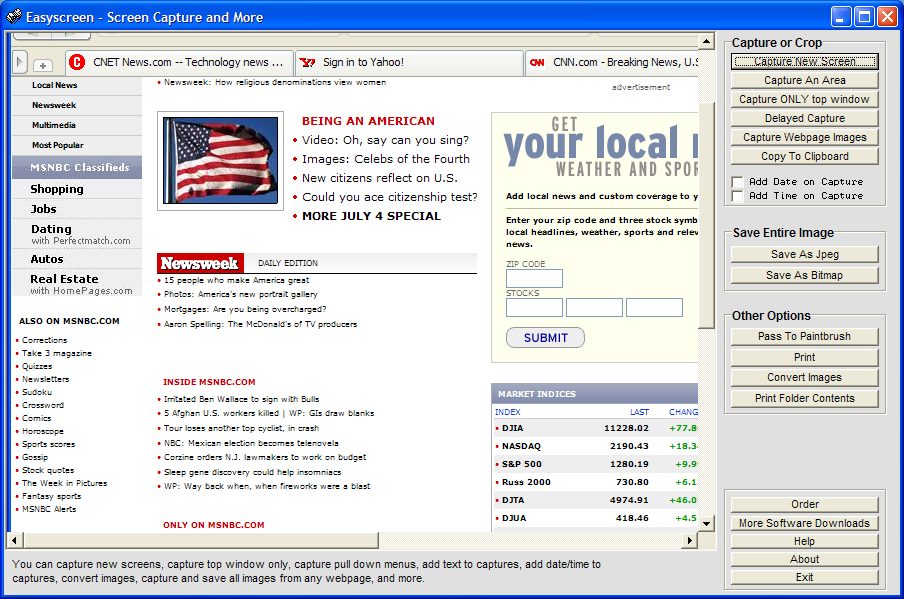
Capture screens, capture parts of screens, print screens, capture and download all images automatically from any website, add text to images, convert image types, and much more.
In depth
A closer look at Easyscreen Screen Capture
Capture and save any screen or text on your computer, capture parts of screens, convert images to JPEG images, download all images from any website, embed text messages directly into images, add date/time to your capture, and print any screen. You can also capture pull down menus on other applications, use delayed captures to capture screensavers, convert an entire folder of images into jpeg images with one click, print the contents of folders, and copy any images into the windows clipboard. A variety of other options are also included for printing, saving, cropping (capturing an area of the screen), or even editing screen images. There is even an option for selecting different jpeg compression levels for those who want to save more space, and you can also embed text transparently over your captured screens. No extra run-time files are needed. (Runs on all Windows systems).
Verdict
Should you download Easyscreen Screen Capture?
Easyscreen Screen Capture runs on
Windows 10/11
and is available under the
Shareware
license
— the installer is 714 KB.
We’ve catalogued it under
Screen Capture.
✓
Verified clean. Every Easyscreen Screen Capture build on SoftLookup is scanned for viruses, spyware, adware, trojans and backdoors. We re-test on every update.
Sponsored
At a glance
Easyscreen Screen Capture specifications
- Last updated
- Mar 12, 2025
- License
- Shareware
- Operating system
- Windows 10/11
- File size
- 714 KB
- Price
- $18.95
- Page views
- 666
Help fellow users decide. Share your experience with Easyscreen Screen Capture.