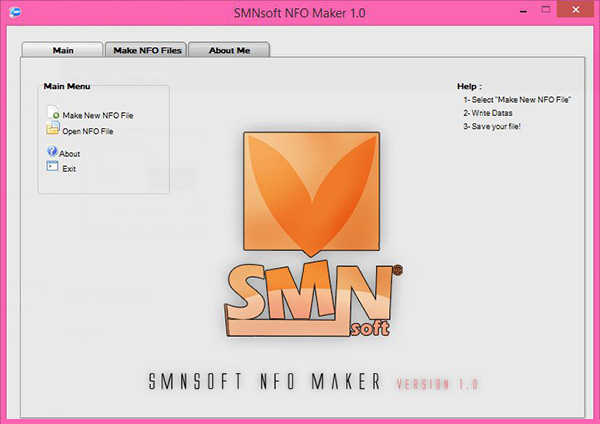
SMNsoft NFO Maker is a lightweight computer program which you can use to create NFO files in a simple and effort-free manner, without having to worry about any complicated work process.
NFO files are created to aid in the distribution of information which accompanies releases for just about anything, movies, games, software, you name it. It’s much like a ‘Readme’ file but for some a lot better looking as it uses ASCII art.
A lightweight piece of software that you can effortlessly use to create and edit NFO files which you can then later use in distribution.
SMNsoft NFO Maker displays a more than comprehensive graphical user interface which should appeal to anyone who wants to use it. It’s neat, clean and pretty much self-explanatory. Knowing the absolute basics of what a NFO file is, you’ll be able to create one in maybe less than a minute.
Just write your data and then click on the start button then Click on Preview and click on the "Save NFO File"
Main Features
- Making NFO Files very easy
- So flexible. You can personalize NFO however you like.
- You can save your settings for future use
- Make very nice NFO file
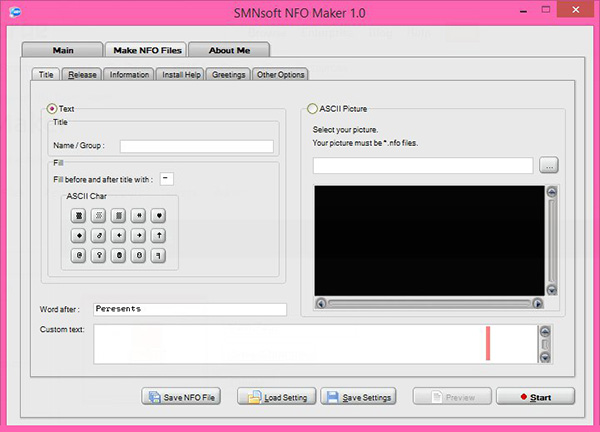
How to use NFO Maker
- Open NFO Maker
- Click on Make new NFO File
- Fill in the Name/Group
- Fill in custom Text
- Select your ASCII Picture
- Go to Release Tab
- Fill in Program Name, Programmer Name,Language, Version, Size, URL, Date, Operating System
- Click on Start
- Click on Preview and than Save NFO File
Windows 8 64-bit / Windows 8 / Windows 7 64-bit / Windows 7 / Windows Vista 64-bit / Windows Vista / Windows XP 64-bit / Windows XP
SMNsoft NFO Maker runs on
Windows 10/11
and is available under the
Freeware
license
— the installer is 546 KB.
We’ve catalogued it under
Word Processing.
Help fellow users decide. Share your experience with SMNsoft NFO Maker.