Overview
What is Clipboard Assistant?
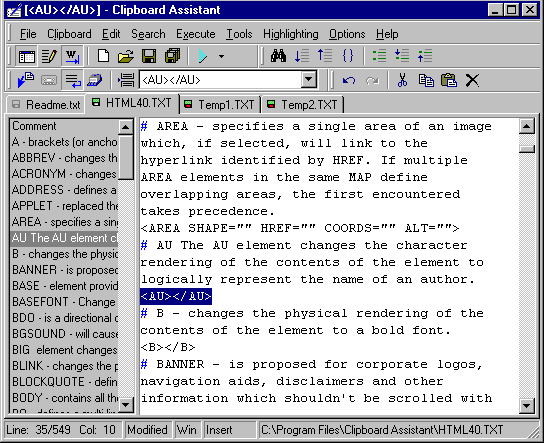
Clipboard Assistant is intended for an acceleration and a simplification of text operations via the Clipboard. You can use it while you are writing programs, filling Web forms, making sections of related news items, etc. You can create collections of
In depth
A closer look at Clipboard Assistant
Clipboard Assistant is intended for an acceleration and a simplification of text operations via the Clipboard. You can use it while you are writing programs, filling Web forms, making sections of related news items, etc. You can create collections of text clips for using them in other applications. You can use Clipboard Assistant and other applications together, or as an independent full-featured text editor. Every time you copy a text to the Clipboard, Clipboard Assistant stores it in the History List and can place it into an editing file. You can replace a text in the Clipboard with items of the History List,items of a clip collection or a text from an open file. You can paste a text into any application using several handy methods, or scroll contents of a text field in a filling Web form. Most of operations can be performed by hot keys. Try our Clipboard management tools.
Verdict
Should you download Clipboard Assistant?
Clipboard Assistant runs on
9x/NT/2000/ME/XP/Windows 10/11
and is available under the
Shareware
license
— the installer is 739 KB.
We’ve catalogued it under
HTML Conversion.
✓
Verified clean. Every Clipboard Assistant build on SoftLookup is scanned for viruses, spyware, adware, trojans and backdoors. We re-test on every update.
Sponsored
At a glance
Clipboard Assistant specifications
- Last updated
- Feb 18, 2025
- License
- Shareware
- Operating system
- 9x/NT/2000/ME/XP/Windows 10/11
- File size
- 739 KB
- Price
- $25
- Page views
- 397
Help fellow users decide. Share your experience with Clipboard Assistant.