Overview
What is SafeShopper?
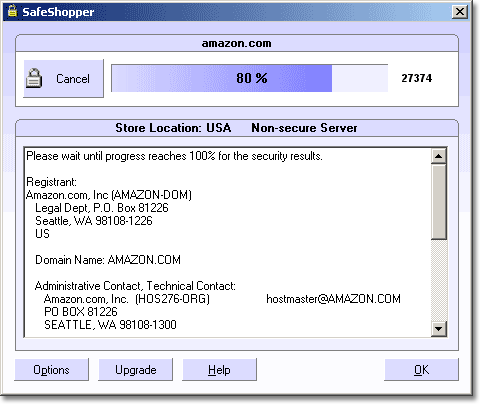
SafeShopper allows you to verify an online store's security before you place an order online by clicking the SafeShopper button in your IE toolbar. SafeShopper provides you with an instant report as to if the online store is safe to shop at.
In depth
A closer look at SafeShopper
Is your credit card really safe after you have placed an order online, or is your information only a password guess away from a hacker? You may be surprised how many online stores leave critical backdoors open on their computers. These are the same computers which store your credit card information just after placing an order online! SafeShopper allows you to verify an online store's security before you place an order online by clicking the SafeShopper button in your Internet Explorer toolbar. SafeShopper provides you with an instant report as to if the online store is safe to shop at. SafeShopper also provides you with the location, owner, and contact information of the web site. SafeShopper adds a new button, "Verify Security", to your Internet Explorer toolbar. One click will let you know if the online store is safe to shop at. When visiting an online store's order page, the SafeShopper reminder window displays on the rightside of your screen near your clock, asking you if you wish to verify the store's security before placing an order. SafeShopper is the ultimate tool to protect your credit card and identity.
Verdict
Should you download SafeShopper?
SafeShopper runs on
Windows 10/11
and is available under the
Shareware
license
— the installer is 561 KB.
We’ve catalogued it under
Privacy and Access Control.
✓
Verified clean. Every SafeShopper build on SoftLookup is scanned for viruses, spyware, adware, trojans and backdoors. We re-test on every update.
Sponsored
At a glance
SafeShopper specifications
- Last updated
- Jan 25, 2025
- License
- Shareware
- Operating system
- Windows 10/11
- File size
- 561 KB
- Price
- $24.95
- Page views
- 444
Help fellow users decide. Share your experience with SafeShopper.