Overview
What is FreshFind?
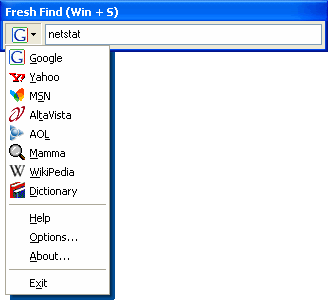
FreshFind provides instant access to your favorite search engines, saving you the time to fire up your browser and make your way to a search page. The program runs silently in the background (taking up little memory) and is activated by a hotkey.
In depth
A closer look at FreshFind
FreshFind provides instant access to your favorite search engines, saving you the time to fire up your browser and make your way to a search page. The program runs silently in the background (taking up little memory) and is activated by a global hotkey. Then, just type in your search query and hit enter, and before you know it you are staring at search results. FreshFind supports the adding of custom search engines and can tell you how much time the program has saved you since installing it.
Requirements
System requirements
16mb ram, 283kb disk space
Verdict
Should you download FreshFind?
FreshFind runs on
Windows 10/11
and is available under the
Freeware
license
— the installer is 282 KB.
We’ve catalogued it under
Search Enabling Web Sites.
✓
Verified clean. Every FreshFind build on SoftLookup is scanned for viruses, spyware, adware, trojans and backdoors. We re-test on every update.
Sponsored
At a glance
FreshFind specifications
- Last updated
- Mar 8, 2025
- Requirements
- 16mb ram, 283kb disk space
- License
- Freeware
- Operating system
- Windows 10/11
- File size
- 282 KB
- Price
- Free
- Page views
- 398
Help fellow users decide. Share your experience with FreshFind.