Overview
What is R-Linux?
R-Linux is a data recovery and undelete tool for Ext2FS (Linux) file system. File recovery after power failure, system crash, virus infection or partition with the files was reformatted, even for different file system.
In depth
A closer look at R-Linux
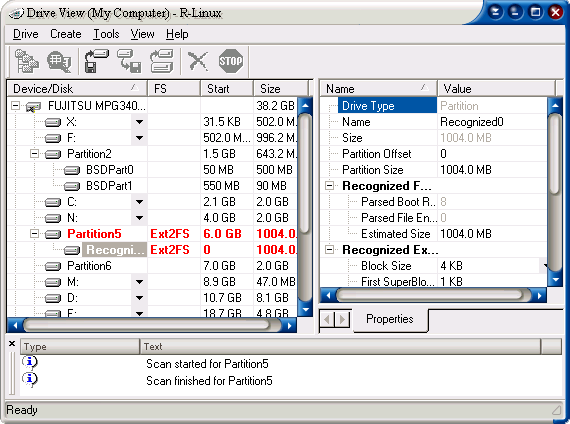
R-Linux is a data recovery and undelete utility for Ext2FS (Linux) file system. File recovery after power failure, system crash, virus infection or partition reformation, even for the different file system. Unformat and unerase tool. Creation of image files an entire disk, partition or its part. Such drive image can be processed like regular drive. Recognition and parsing of Dynamic (Windows ), Basic and BSD (UNIX) partitions layout schema. Localized names support.Recovered files can be saved on any (including network) disks accessible by the host operating system.
Requirements
System requirements
At least 32 MB of RAM, a mouse, and enough disk space for recovered files, image
Verdict
Should you download R-Linux?
R-Linux runs on
Windows 10/11
and is available under the
Freeware
license
— the installer is 1382 KB.
We’ve catalogued it under
Utilities and Tools.
✓
Verified clean. Every R-Linux build on SoftLookup is scanned for viruses, spyware, adware, trojans and backdoors. We re-test on every update.
Sponsored
At a glance
R-Linux specifications
- Last updated
- Feb 18, 2025
- Requirements
- At least 32 MB of RAM, a mouse, and enough disk space for recovered files, image
- License
- Freeware
- Operating system
- Windows 10/11
- File size
- 1382 KB
- Price
- Free
- Page views
- 416
Help fellow users decide. Share your experience with R-Linux.